Live on the Meta Horizon Store · Immersive video for higher ed and CTE
Your environments, on your headsets, for your whole class.
Vantura hosts the 360 videos your own faculty film, your labs, clinics, shops, and field sites, and delivers them to the Quest headsets your school already owns. No per-student fees. No enterprise device stack. It plays even when the Wi-Fi does not.
The Quest app is free on the Meta Horizon Store. The free plan on the web portal covers one instructor and one class, and every new account starts with sample 360 lessons, so you can put on a headset before you film anything.
VR in the classroom usually means someone else's content.
Programs that want immersive learning face a hard choice. License a canned library of scenarios at roughly 100 dollars per student that you cannot change, or try to sideload your own videos onto headsets and hope the file plays and the network holds. Neither fits how faculty actually teach, with their own spaces and their own students.
Vantura is the third option: your content, your headsets, handled for you.
Film your real spaces.
Faculty record their own labs, clinics, and field sites in 360 and upload through a simple web portal. No production team required.
Headsets pair with a code.
Install the free Vantura app from the Meta Horizon Store, pair each headset once with a short code from the class portal, and the lesson library downloads. Nothing to sideload, no device-management system to buy.
Class just runs.
Videos play from the headset, so seeking is instant and a weak connection never stops the lesson. Set the headset down, pick it back up, keep going.
Why programs choose Vantura
Your own environments, not a canned library.
Every other VR option hands you someone else's scenarios. Vantura hosts the real places your program teaches in, filmed by your faculty, owned by your school.
On the headsets you already own.
A free Quest app plus a class join code, on Quest 2, Quest 3, Quest 3S, and Quest Pro. Meta stopped selling its commercial headset program in early 2026, so consumer Quests are how schools run VR now, and it is how Vantura is built.
No per-student fees, ever.
Priced by the department, not the seat. One instructor license covers the whole class and the whole headset cart.
It works when the Wi-Fi does not.
Download-first playback means no buffering in front of 30 students and no lesson lost to a dropped network.
Nothing breaks in front of a class.
Vantura checks each upload and guides faculty to fix any file problem before class, not during it. The class page lists every paired headset and whether it has every lesson on disk, so a lab tech knows the cart is ready before students arrive.
Sharp enough to read the room.
Plays 5.7K and 8K H.265 footage from consumer 360 cameras at full frame rate, tested on Quest 3 and Quest Pro. Detail holds up when a student turns to read a monitor or a label.
Try it before you film.
Every account starts with a shared library of sample 360 lessons. Create an account, pair a headset, and see the whole flow in ten minutes, then replace the samples with your own spaces.
From your camera to the headset in four steps
Record.
Faculty film in 360 with a consumer camera. A short filming and export guide covers the settings that look best on a headset.
Upload.
Drop the video into the Vantura web portal. It checks the format and organizes it by class.
Pair the headsets.
Each headset pairs once with a short code at the class portal. A lab tech can walk a whole cart in one pass.
Teach.
Videos download to each headset and are ready for class, online or off. The class page shows which headsets have every lesson, and which are still catching up.
A look inside
Frames captured on a Quest 3 running Vantura. The sample class here is 360 footage of a coastal field site.
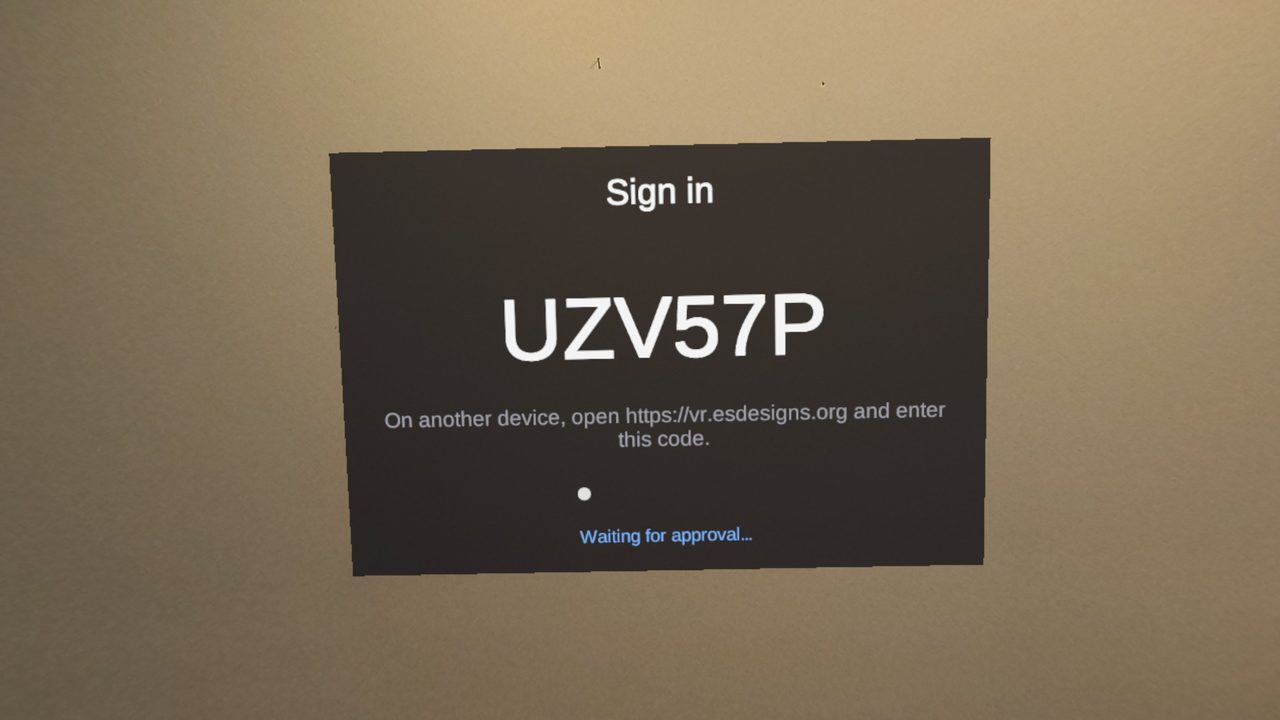
Pairing takes one code.
The headset shows a short code. Someone enters it at the class portal from a phone or a laptop, and that headset signs itself in and stays signed in.
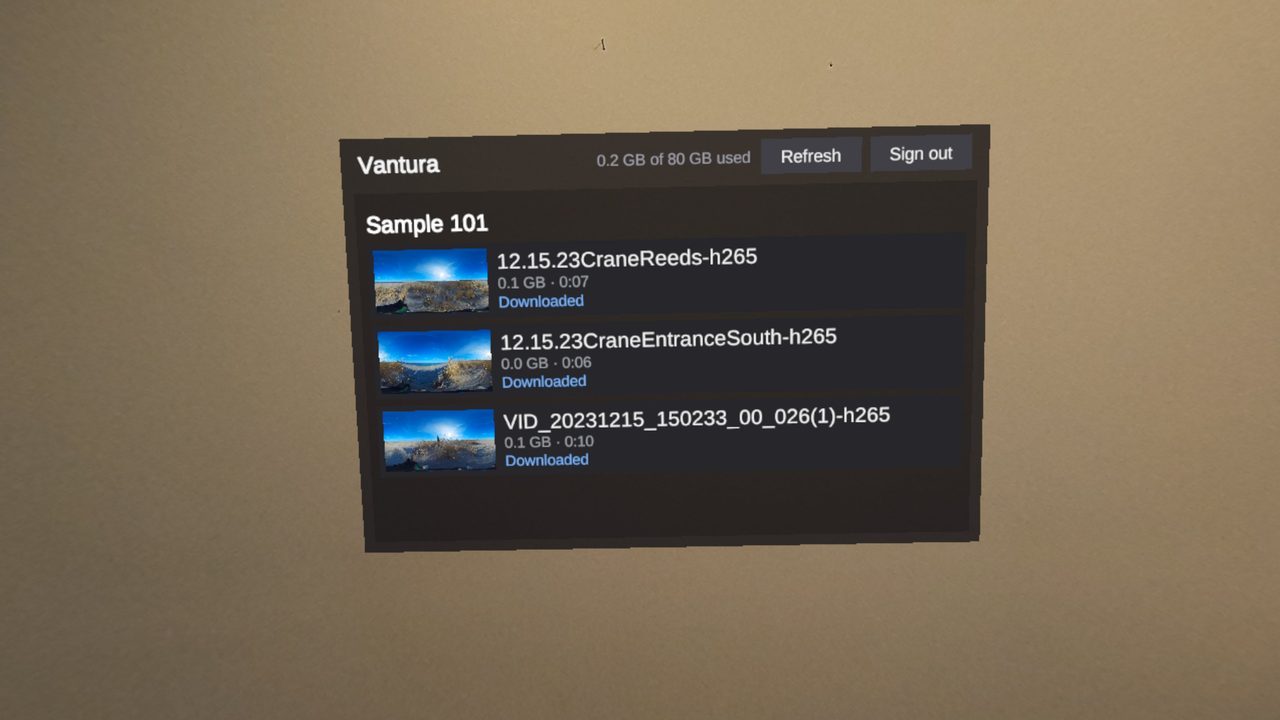
The class library, already downloaded.
Each lesson shows its size, its length, and whether it has finished downloading. A lab tech can tell at a glance which headsets on the cart are ready for class.
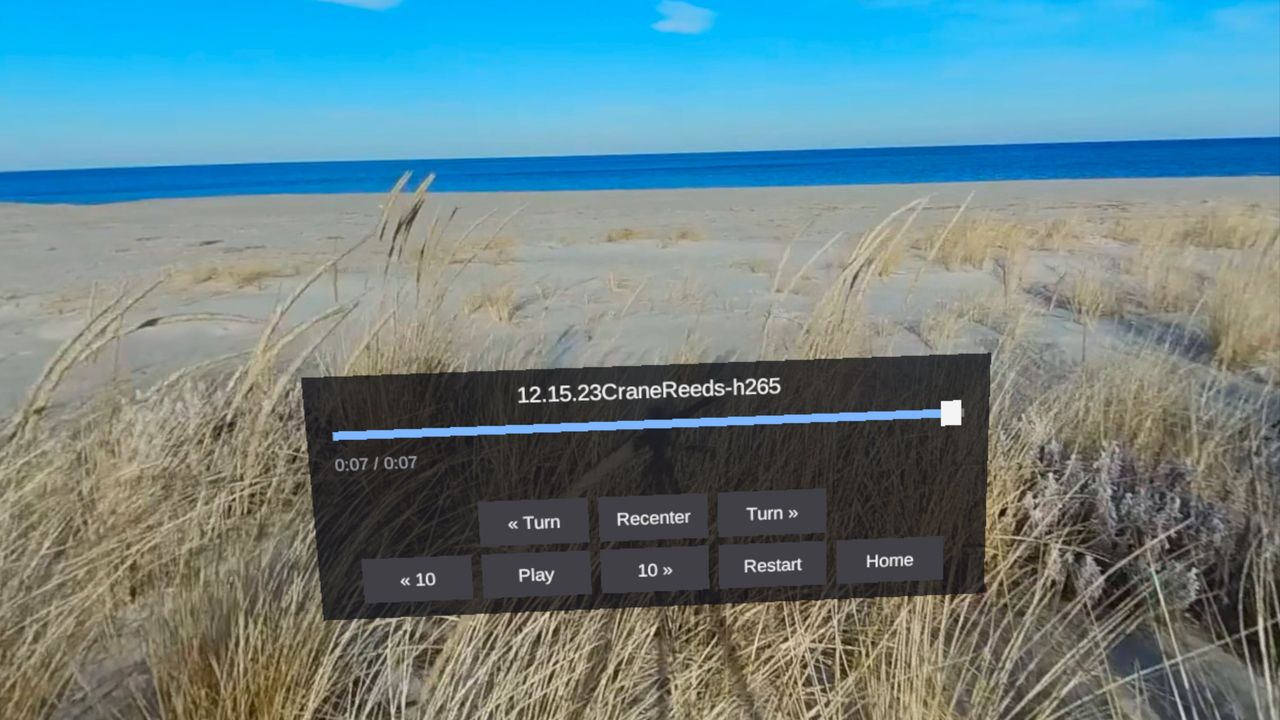
Controls stay within reach.
Scrub the timeline, jump ten seconds, recenter the view, or go back to the library. Point and select is all it takes, and hand tracking alone works.
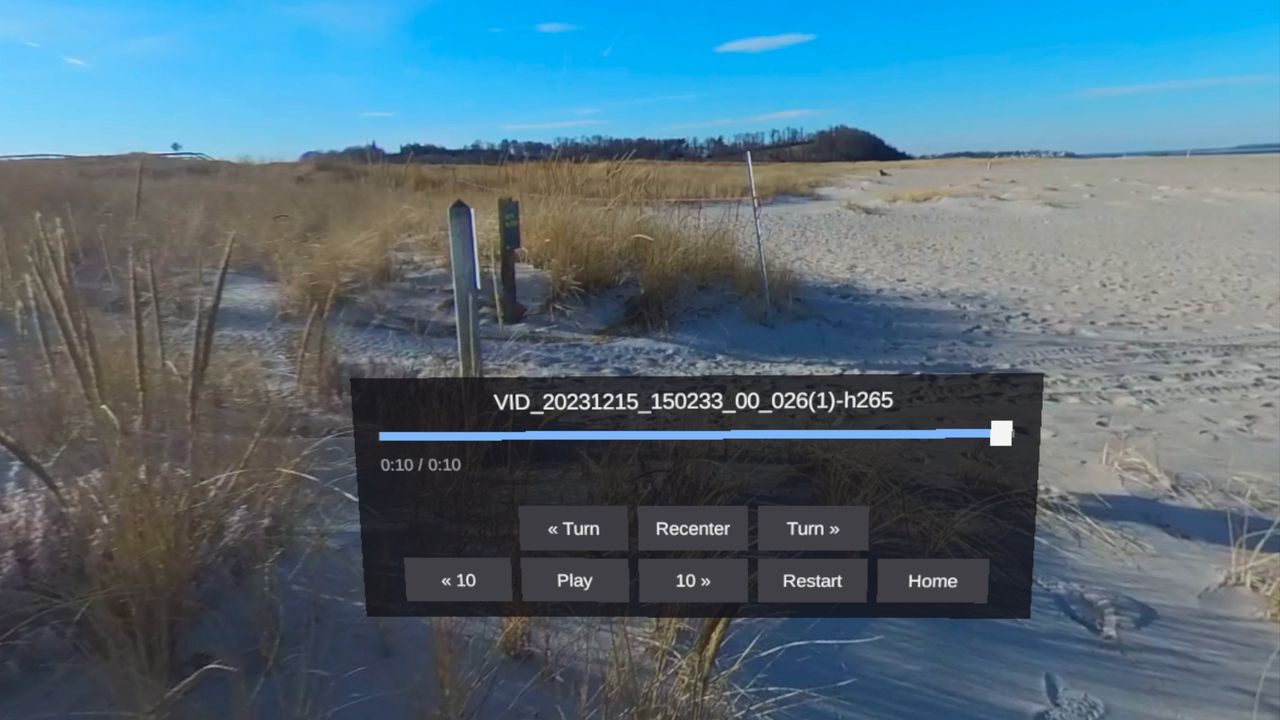
Students look around the whole space.
Full 360, playing from the headset. Seeking is instant, and a student can turn and take in the site the way they would standing in it.
Built for programs that teach in real spaces
Nursing and health simulation, allied health and EMS, skilled trades and CTE, field science, safety and orientation training. If your program teaches somewhere a student needs to stand inside and look around, Vantura puts them there.
Simple pricing. No per-student fees.
Subscribe from your account on the web portal. Billed annually to fit PO cycles, monthly for pilots, cancel any time from the billing page. Founding partners lock their rate for two years.
Free
For one instructor to prove it out.
- 10 GB of storage
- Up to 5 headsets
- 1 class
- Sample 360 lessons included
Classroom
A full headset cart, one instructor license.
- 80 GB of storage
- A full headset cart, about 35 headsets
- Unlimited classes and students
- Offline sync and per-headset readiness
- Watch data by lesson and by student
Department
For a program running several sections.
- 5 instructors
- 400 GB pooled storage
- Priority support
Campus
For institution-wide deployment.
- 25 instructors
- 2 TB pooled storage
- Onboarding for lab staff
Questions programs ask
Is this an LMS?
No. Vantura is the immersive piece that sits alongside Canvas or Moodle, not a replacement for them. Gradebook passback is on the roadmap for programs that want it.
Do we need special headsets or an IT project?
No. Vantura runs on the consumer Quest 2, Quest 3, Quest 3S, and Quest Pro headsets you already own. Install the free app from the Meta Horizon Store and pair each headset once with a code. Nothing is sideloaded and nothing needs a device-management system.
What if our classroom Wi-Fi is unreliable?
That is the case Vantura is built for. Videos download ahead of class and play locally.
Who owns the content?
You do. Vantura hosts and delivers what your faculty create. It is your library.
Can we try it before we buy?
Yes. The free plan covers one instructor and one class, and it comes with sample 360 lessons already in the library. Start there, then add a pilot when you are ready.
What video formats work?
MP4 in H.265, up to 8K. The Quest hardware decodes H.264 only up to 4K, so above that the portal asks for H.265 and tells you exactly which export setting or command fixes the file. Most 360 cameras record H.265 already; it is usually the phone app’s export that switches it.
How do faculty sign in?
With Google or Microsoft, or with an email address and password. If your campus Microsoft tenant blocks new apps until IT approves them, use email and password. Password resets arrive as a one-time code rather than a link, so campus mail security cannot spend the reset before you open it.
How does billing work?
Classroom is a card subscription on the portal, monthly or annual. Annual plans renew automatically with a reminder email three days before, and you can cancel from the billing page at any time, effective at the end of the period. Department and Campus are quoted and invoiced, with purchase orders welcome.
Bring your own spaces into VR.
Vantura is live on the Meta Horizon Store. Install the free app on a Quest, create a free account on the web portal, and you can have sample lessons in a headset in about ten minutes. When you are ready to film your own spaces, we will help you get the first lesson into a classroom.
Start a Vantura pilot.
Tell us what your program teaches and what you want to film. We will set up a 30-minute call and help you get a first lesson onto a headset. Questions first? Reach us at bwinchell@esdesigns.org.
More from the ES Designs VR line
More Meta Quest apps from the same studio.
Anatomy & Physiology Lab
An interactive human-anatomy lab for students who cannot get into a physical one. Skeletal, cranial, and cardiovascular systems with built-in knowledge checks.
Explore the A&P Lab →Thrustline
A jet bike race powered by your workout. Your effort on an elliptical, rower, or stair climber is the throttle; race your ghosts and six rivals.
See Thrustline →The whole VR line
How Vantura, the A&P Lab, and Thrustline fit together, and what is currently in development.
See VR Development →